OpenFDEM GUI#
OpenFDEM provides an integrated graphical user interface (GUI) for the complete simulation workflow, enabling users to perform model preparation, simulation setup, computation, and result analysis in a unified environment. The GUI supports the entire numerical simulation process, including geometry creation, mesh generation, material definition, boundary condition assignment, model solving, and post-processing, as illustrated by a tunnel excavation example below.
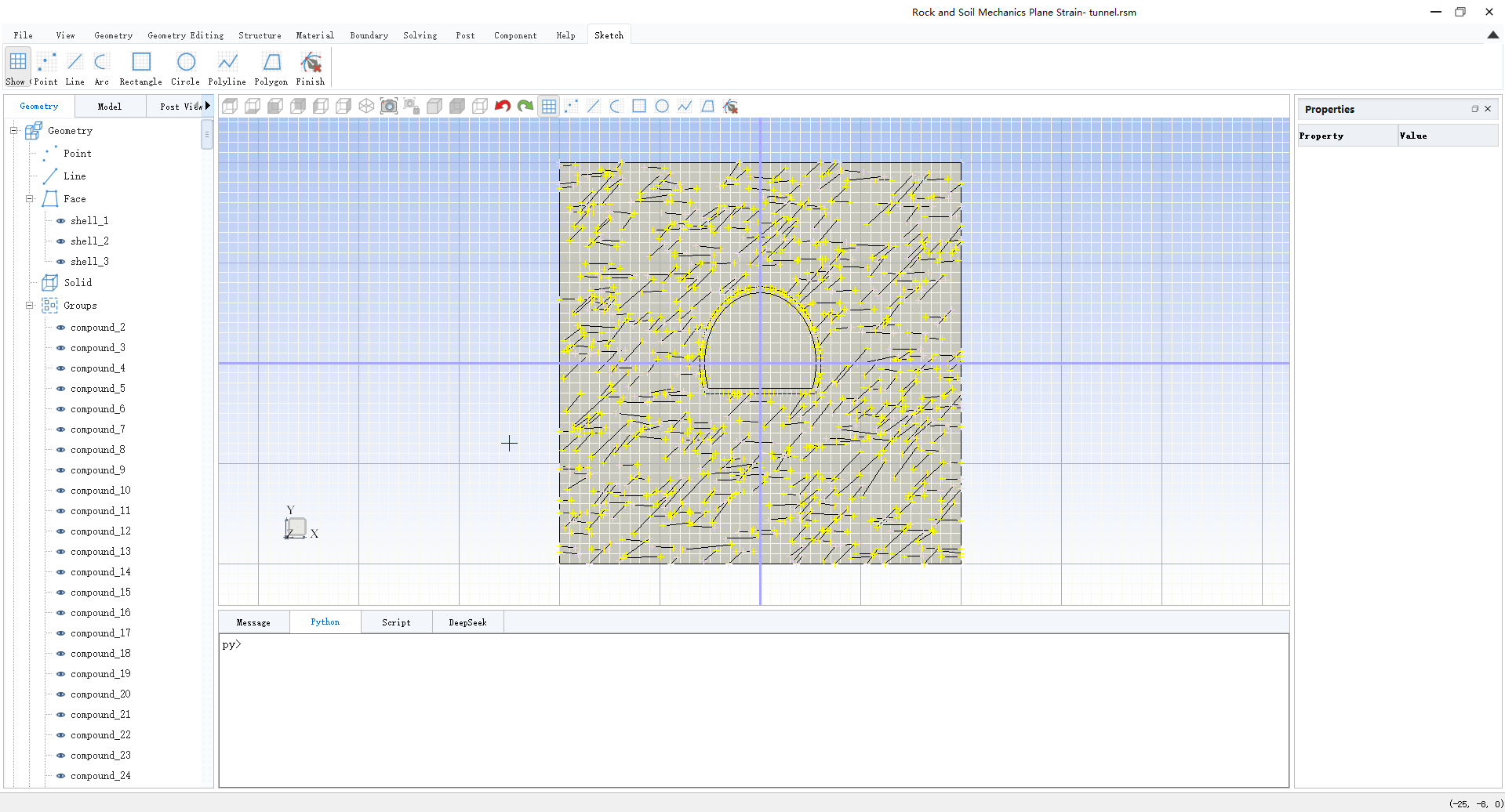
Figure 1. Geometry creation.#
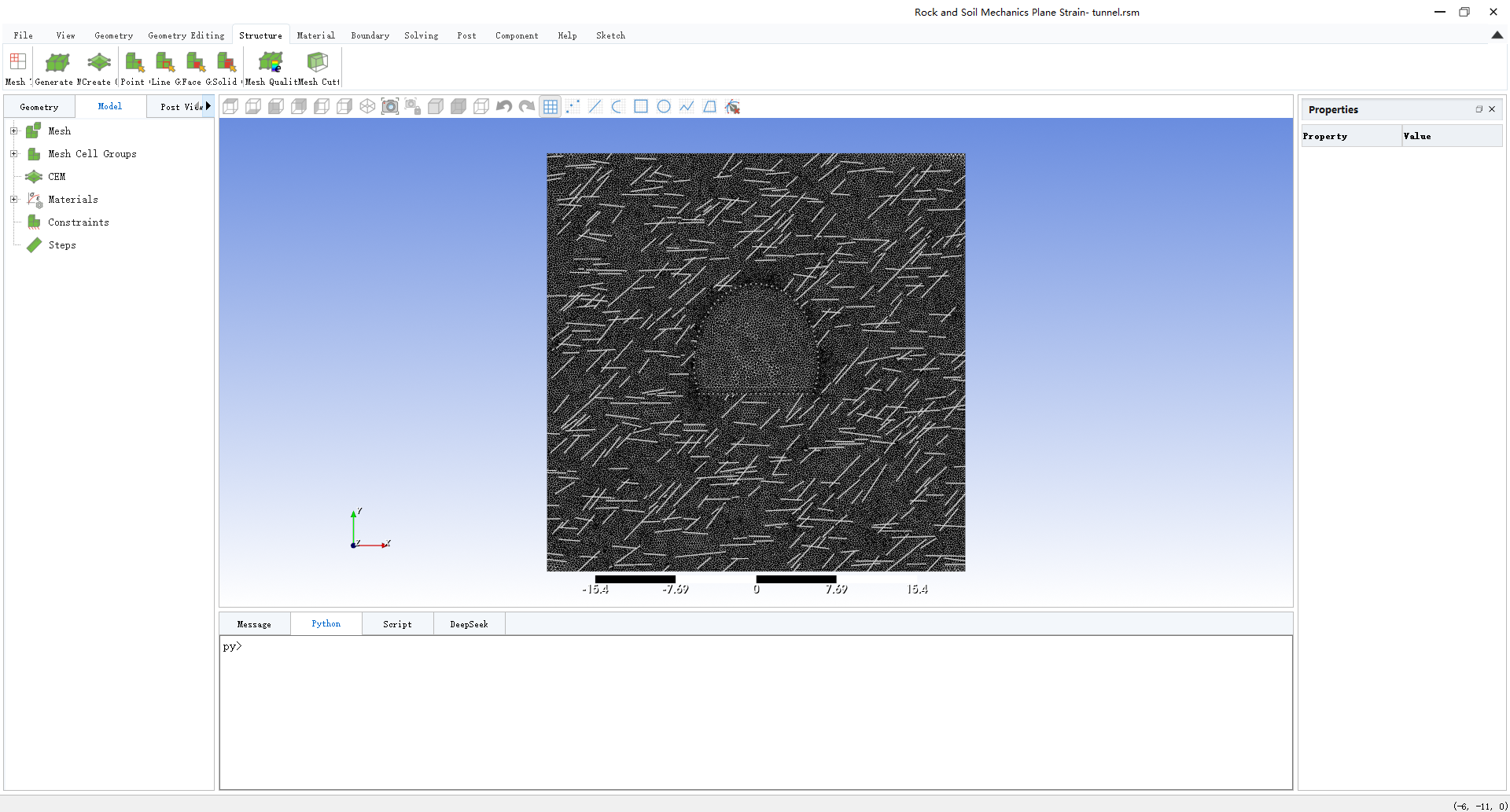
Figure 2. Mesh generation.#
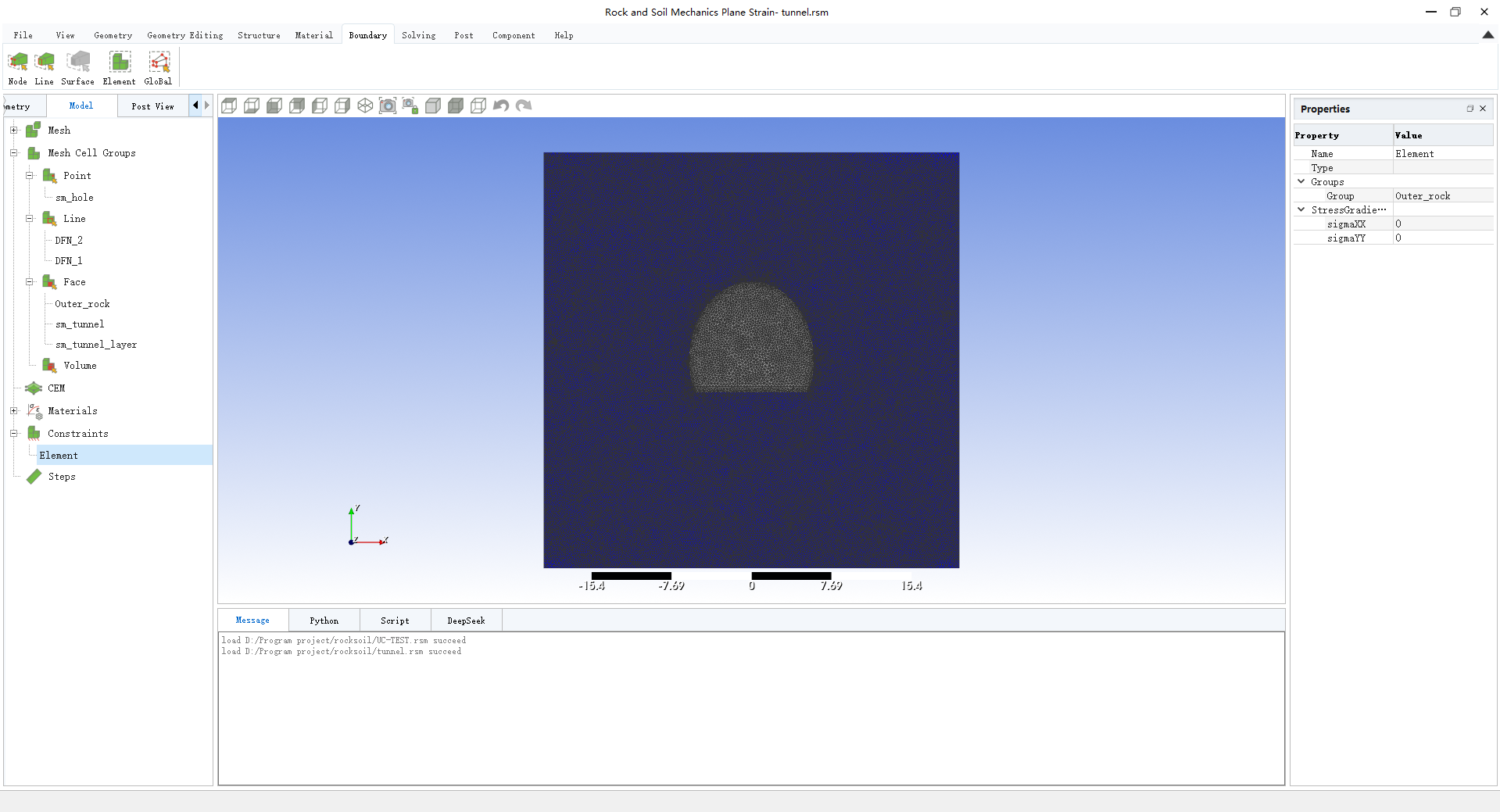
Figure 3. Material definition and boundary condition assignment.#
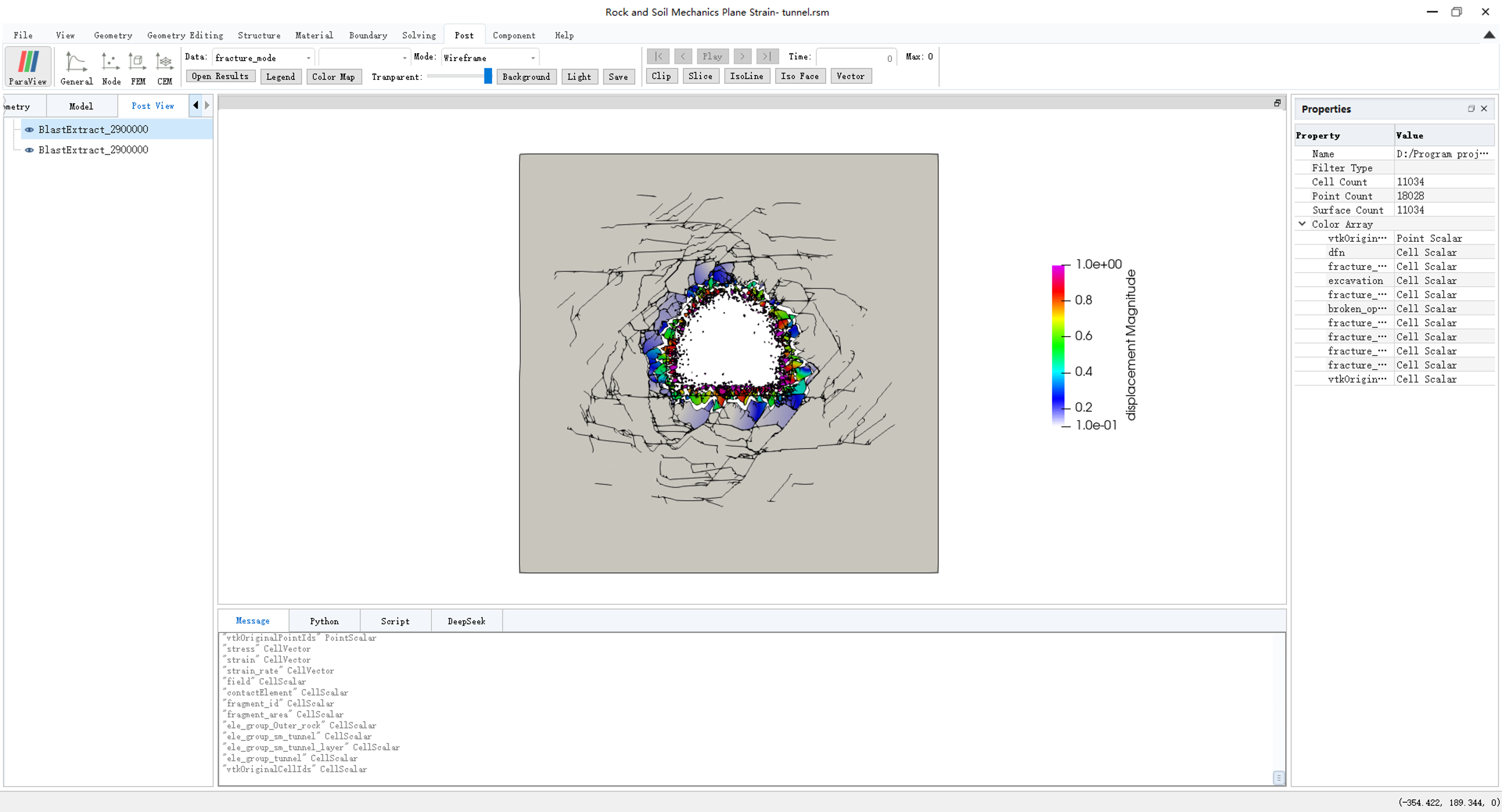
Figure 4. Result visualization and post-processing.#
Through this integrated workflow, users can efficiently build and analyze OpenFDEM models without manually editing input files. The GUI provides functions equivalent to the command-line version while offering a more intuitive and user-friendly simulation experience.
Geometry Module#
The Geometry module provides flexible tools for creating and editing computational models. Users can generate geometries through both command-based modeling and an interactive sketch-based modeling interface, enabling convenient construction of complex geometrical structures.
The module supports importing commonly used geometry formats, including .geo,
.brep, .step, and .dxf files. It also supports the generation and
insertion of 2D and 3D discrete fracture networks (DFNs) with deterministic or
stochastic configurations.
Mesh Module#
The Mesh module provides advanced mesh generation and management capabilities.
It supports multiple meshing algorithms, including Frontal, Delaunay, and R-tree
based approaches, as well as importing external mesh files in formats such as
.inp, .msh, and .vtk.
For 2D models, it supports linear and quadratic triangular elements and quadrilateral elements. For 3D models, it supports linear and quadratic tetrahedral elements as well as hexahedral elements.
Material Module#
The Material module provides a unified platform for defining and managing material properties. It supports various material models for bulk elements, cohesive elements, and contact interfaces, and allows users to create customized material libraries for different applications.
Solver Module#
The Solver module provides high-performance computational capabilities for large-scale simulations. OpenFDEM GUI supports both MPI-based parallel computing and GPU acceleration to improve computational efficiency.
Post-processing Module#
The Post-processing module enables direct visualization and analysis of simulation results. Users can view important field variables, including displacement, stress, damage, and crack evolution, within the GUI environment.
In addition, OpenFDEM provides seamless integration with ParaView, allowing users to launch ParaView directly from the interface for advanced visualization and analysis of simulation results.
Note
The GUI version will be available in future releases.